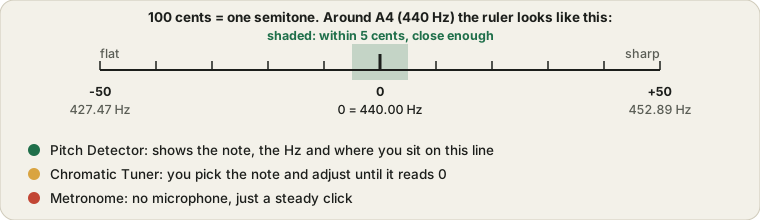
These three aren't tied to one instrument. Pitch Detector tells you what note it hears, which works for a voice, a flute or a half-remembered guitar string. Chromatic Tuner is for when you already know the target note and want to bring something up to it. Metronome doesn't listen at all; it just keeps time at whatever tempo you set.
Mark each one after you try it and this page shows how many of the three you have done and which are left, in a strip near the top. It stays in your browser and nothing is sent anywhere.
Which tool do you need?
Three tools cover most practice needs. Pick the one that matches what you are trying to find out.
| If you want to | Use | What it does |
|---|
| Find out which note you are playing or singing | Pitch Detector | Shows the note, its frequency in Hz and how many cents sharp or flat you are, live. |
| Tune an instrument to any note | Chromatic Tuner | Tunes to any of the 12 notes with an animated strobe display. |
| Stop rushing or dragging while you practise | Metronome | A steady beat with tap tempo, adjustable tempo and time signature. |
The Pitch Detector reports what it hears rather than judging you against a target, which makes it useful for finding a note or checking a singing voice. The Chromatic Tuner is better when you want to bring a string up to a particular note.
If you play guitar, ukulele, violin or another common instrument, the dedicated tuners in Instrument Tuners show a headstock for each string and are quicker to use. For best results in any of them, play in a quiet room and allow microphone access when your browser asks.
A simple practice routine uses all three. Warm up with the Chromatic Tuner on open strings or a held note, set the Metronome slower than you think you need and raise it in small steps, then use the Pitch Detector to check long notes for drift. Tap tempo is handy when you want to match the speed of a recording. Singers can hold a single vowel and watch the cents reading to see how steady the pitch is.